#
Tag: unifi
See all tags.
NOTE: The troubleshooting options below should help you find issues related to adopting a new device to a UniFi Network Application controller or devices
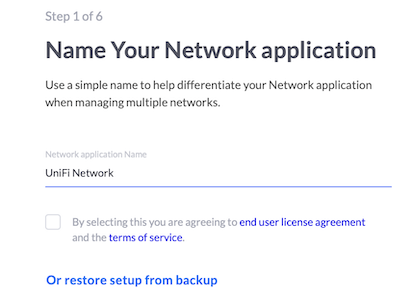
This article will guide you through the steps to get your UniFi Network Application Controller setup.
This article will guide you through the process of adopting your Unifi devices such as Access Points, Switches and USG to your new Cloud Unifi hosted
Flex mini switch has 5 ports 1st port is PoE IN support 802.3af and it is powered by a 5V, 1A Power Adapter available inside the box which is USB type C.
This article will guide you through the process of adopting your UniFi UXG Lite, Pro or Max to a UniFi Network Application Controller
This article will explain in detail how to use the UniFi Site Export and Import features to quickly and easily export sites from one Controller (including
To enable the "Classic" or "Legacy" User Interface from "New" User Interface, go to Settings/System, click to enable the Legacy Interface toggle (You will find this toggle in the "Advanced" section starting in version 7.3.76), then click Deactivate to confirm your selection. Any changes you make in classic or legacy settings will be permanent"
Option A. Replace your custom domain name record with a CNAME DNS record and point it to your hosted controller name (example.cloudunifi.com) Option B. On the existing controller, go into Settings>System>Advanced - Inform Host Input your new hosted controller domain name then click "Apply Changes". Your devices will start to move over to the new controller, but it may take 5-10 minutes.
This article will explain why you may want to use your Ubiquiti Account to manage your controller along with the extra services this enables.
NOTE: Local accounts reside only on the UniFi Network Application Controller. The "Remote Access" feature allows you to use your Ubiquiti account as a user
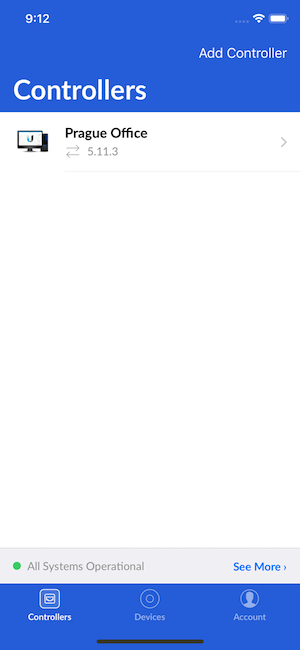
This article will explain how you can setup your controller within the UniFi mobile app for iOS and Android